
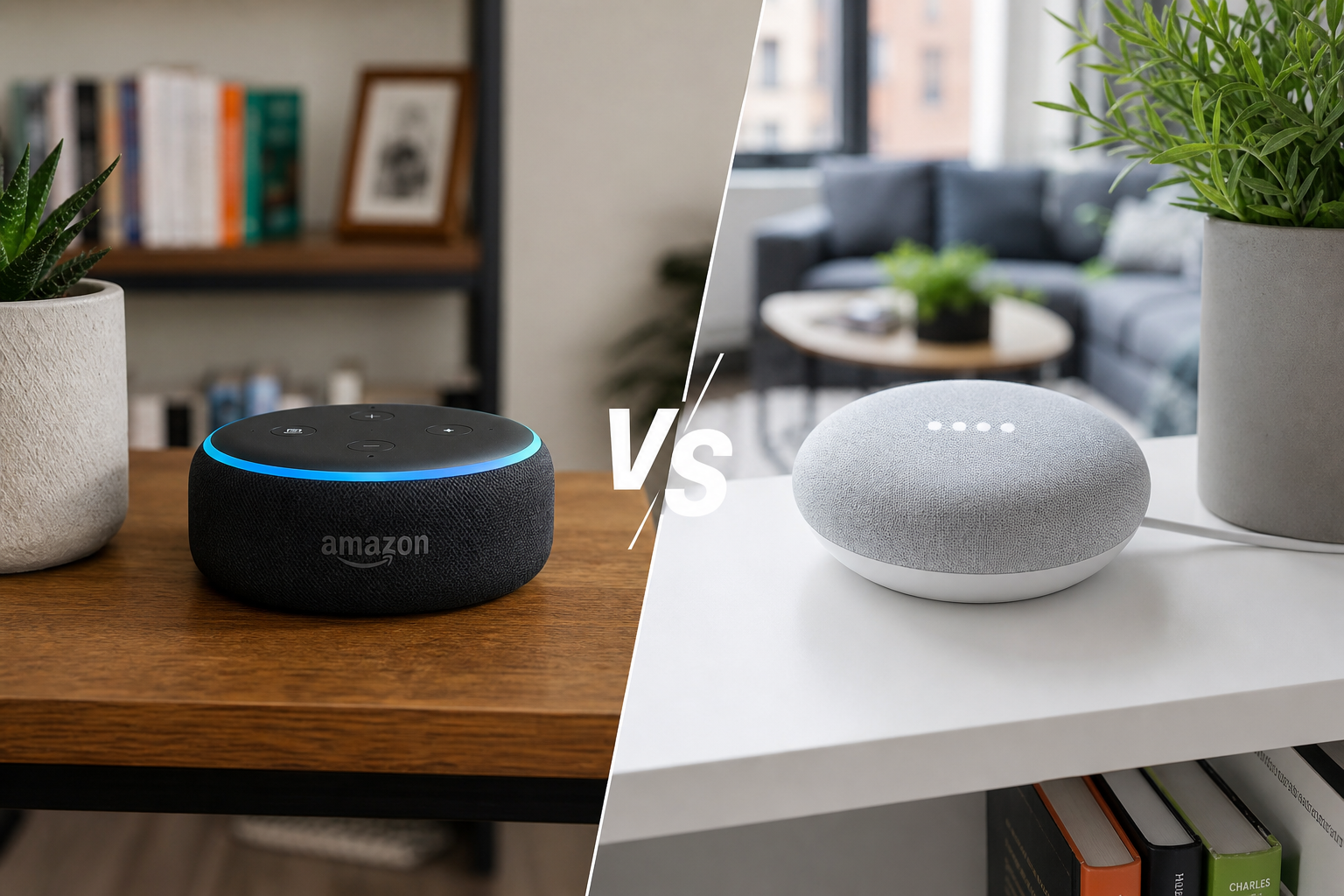
Renters don't need the "best" assistant—they need the one that pairs fastest with plug-in devices, respects a small floor plan, and moves out in a backpack. Choose Alexa if you want the widest cheap device compatibility and simple shopping-list routines. Choose Google Home if you live in Google Calendar, Android, and Chromecast—and want stronger natural-language answers.
Dek: Alexa vs Google Home for apartment dwellers: ecosystem fit, renter-friendly gear, and clear scene-by-scene picks—June 1, 2026.Quick Answer
| Your situation | Our pick | Why |
|---|---|---|
| First smart home, mostly Amazon gear | Alexa (Echo Dot) | Fastest plug-and-play with Amazon Smart Plugs and wide Matter support |
| Android phone + Google Calendar household | Google Home (Nest Mini) | Voice answers and routines align with existing Google accounts |
| Mixed Apple + Android roommates | Either + Matter devices | Use Kasa Matter plugs so both assistants control the same gear |
| Need a screen for video doorbell peek | Alexa (Echo Show 5) or Nest Hub | Both show camera feeds; pick the brand that matches your doorbell |
Pain Point Bridge
Pick the wrong ecosystem and you rebuy bulbs, relearn routines, and explain to your roommate why two assistants answer at once. Renters also move—devices need factory reset paths you can actually follow at 11 p.m. before move-out.
This comparison is scenario-based: small apartments, shared Wi-Fi, privacy comfort, and whether you care more about music, routines, or Matter future-proofing.
Who This Is For
- First smart speaker buyers who do not want to rebuy bulbs later
- Roommate households with shared Wi-Fi and separate phones
- Privacy-conscious renters comparing cloud vs. local control paths
Side-by-Side Comparison
| Dimension | Alexa (Amazon Echo) | Google Home (Nest) | Winner |
|---|---|---|---|
| Cheap starter speaker | Echo Dot 5th Gen ($30–$50) | Nest Mini 2nd Gen ($30–$50) | Tie |
| Budget smart plug pairing | Amazon Smart Plug—zero extra app | Works with Kasa, Wyze, Meross | Alexa 🏆 |
| Natural conversation / search | Good for commands | Stronger follow-up questions | Google 🏆 |
| Routine complexity | Mature "Routines" with triggers | "Home & Away" + scriptable automations | Tie |
| Renter device breadth | Largest skill and device catalog | Strong but fewer budget exclusives | Alexa 🏆 |
| Privacy controls | Mic off + voice delete commands | Mic off + activity controls in Google account | Tie |
| Move-out portability | Unplug speaker; devices travel | Same | Tie |
| Matter / Thread future | Echo as Matter controller (select models) | Nest Hub as Thread border router | Tie |
Choose Alexa If
- You already buy from Amazon and want one-tap plug setup with Echo and Amazon Smart Plugs.
- Your household uses Fire TV, Audible, or Amazon Music as daily defaults.
- You want the largest selection of budget smart-home SKUs that advertise "Works with Alexa."
- You need a compact display (Echo Show 5) for doorbell thumbnails without mounting a tablet.
Choose Google Home If
- Your phones, calendar, and reminders already live in Google Workspace.
- You cast video to Chromecast or Google TV and want voice control in the same app family.
- You prefer conversational answers ("How long until my bus?") over rigid command syntax.
- You plan a Nest Hub as a kitchen display for timers, recipes, and camera feeds.
Cost, Maintenance, and Risk
Cost (year one, starter renter setup)
| Item | Alexa path | Google path |
|---|---|---|
| Speaker | Echo Dot $30–$50 | Nest Mini $30–$50 |
| 4 smart plugs | Amazon or Kasa $15–$25 | Kasa Matter $15–$20 |
| 2 smart bulbs (optional) | Wyze or Hue $30–$250 | Same |
| Typical total | $45–$325 | $45–$320 |
Prices overlap heavily. Ecosystem lock-in cost shows up in year two when cheap accessories only support one platform.
Maintenance
Both need occasional app updates and Wi-Fi troubleshooting. Alexa Skills can break silently; Google Actions are less fragmented but device linking still fails after router changes. Matter devices reduce maintenance by working across both—budget for Matter when replacing plugs.
Risk if you choose wrong
- Alexa-only plugs in a Google home → extra app, voice friction, roommate confusion.
- Google-only routines with Echo-exclusive doorbell → no unified "I'm home" script.
- Mitigation: Buy Matter-certified plugs and bulbs so either assistant controls them; keep one primary speaker to avoid duplicate timers.
Featured Products
Alexa side
Echo Dot 5th Gen] mt-8 mb-3">Google side
Nest Mini 2nd Gen] mt-8 mb-3">Cross-platform bridge
-
Kasa EP25 Matter Smart Plug] mt-10 mb-4">When to Use Both
Roommates split ecosystems, or you inherit an Echo in the bedroom and want Google in the kitchen? Use Matter devices as shared layer—both assistants control the same lamps. Avoid duplicating speakers in one room (feedback loops and double responses). One primary assistant per room is enough.
How We Evaluated
- Matched each recommendation to scenario fit (room size, renter constraints, pet/kid realities)—not spec-sheet winners alone.
- Cross-checked public retailer listings and owner-review themes for recurring complaints (noise, odor, assembly, wash durability).
- Price-checked U.S. listings at time of update; we do not guarantee lowest available price.
- Human editors reviewed AI-assisted drafts; we did not conduct hands-on lab testing unless explicitly stated in the article.
Common Mistakes
- Buying speakers before checking roommate accounts — voice profiles collide fast.
- Landlord Wi-Fi you cannot reset — stuck devices need manual factory steps.
- Assuming Matter fixes everything — app ecosystems still differ for scenes.
When to Delay Smart Home
If you only need lamps on a timer, start with smart plugs for renters. No-drill setup guide: smart home without holes.
What You'll Walk Away With
- Scenario picks for music, routines, Matter, and roommate friction
- Factory-reset and account hygiene before move-out
- When smart plugs alone are the whole answer
FAQ
Does Alexa or Google work better in small apartments?
Floor plan matters less than Wi-Fi and device choice. Both speakers fit on a shelf. Pick the assistant that matches your phone and streaming accounts—apartment size rarely breaks either platform.
Which is better for renters who move often?
Tie. Both speakers unplug in seconds. Matter plugs and screw-in bulbs move with you. Avoid hardwired switches tied to one ecosystem.
Do I need a subscription?
Neither requires a paid tier for basic voice and routines. Music services (Amazon Music, YouTube Music) and some camera history features may subscription separately.
What about Apple HomeKit?
If your household is iPhone-only, consider HomePod mini as hub instead of this comparison. Matter devices still bridge to Alexa or Google when needed.
Can my smart landlord hub lock me in?
Some rentals include built-in hubs. Personal plugs and bulbs on your Wi-Fi stay portable. Don't rely on property-managed accounts for devices you paid for.
Related Reading
- How to Set Up a Smart Home Without Drilling Holes
- Best Smart Plugs for Beginners in 2026
- Best Matter-Compatible Smart Home Devices in 2026
- Best Smart Home Automation Kits for Beginners
- Best Smart Lighting for Sleep (Warm Scenes, No Electrician)
- Best Smart Plugs with Energy Monitoring in 2026
AI + Editor Transparency
We used AI tools to draft sections of this article and generate concept visuals where noted. Human editors verified ecosystem compatibility, pricing, and internal links before publication. Recommendations reflect our editorial judgment, not manufacturer input.
For EU readers: This content was created with assistance from artificial intelligence and reviewed by human editors before publication.Affiliate Disclosure
HomeGlean is reader-supported. When you buy through links on our site, we may earn an affiliate commission at no extra cost to you. We may earn commissions from both products featured in this comparison. Learn more about how we test and recommend products.
Last updated: June 1, 2026 · Prices and availability may change.