Quick Answer
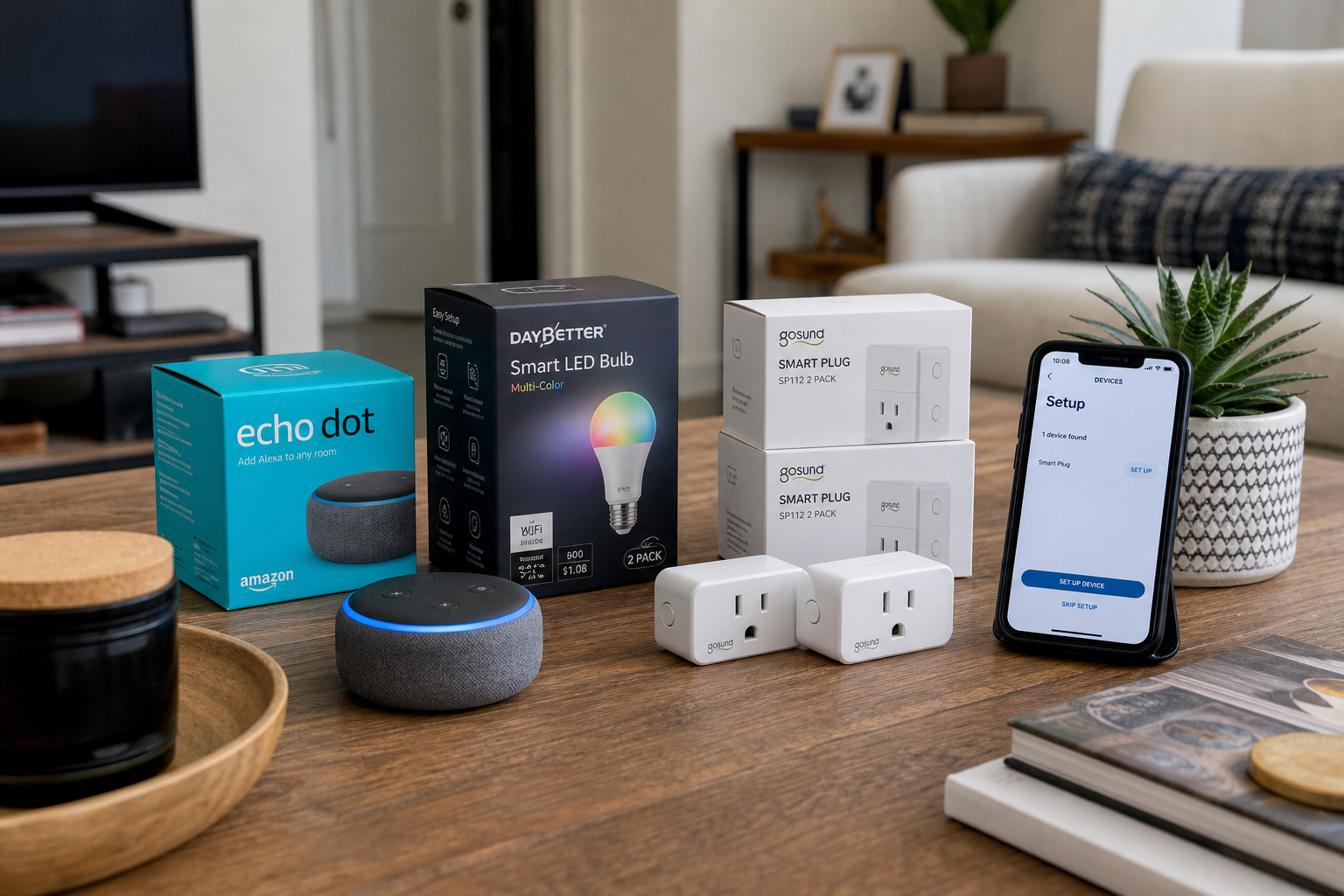
Start with screw-in smart bulbs and outlet plugs, add a voice speaker for routines, then expand with peel-and-stick sensors or battery cameras. These categories need no wiring, no switch replacement, and no landlord sign-off in most leases. Avoid in-wall switches, wired doorbells, and thermostat swaps until you confirm lease language—or plan to restore originals at move-out.Pain Point Bridge
Smart home marketing assumes you can replace switches, mount sensors, and hide hubs in every closet. Renters need portability: gear that leaves in a box when the lease ends, roommates who share Wi-Fi, and landlords who never agreed to your ceiling camera.
This framework orders plugs, bulbs, voice, and cameras by impact vs. hassle—so you get real convenience without forfeiting your deposit.
Who This Is For
- Renters who need every device in a box at move-out
- Roommates sharing one Wi-Fi network and zero interest in rewiring
- Beginners who want lamps on a schedule before whole-home automation
Key Criteria
Reversibility at move-out
Every device should uninstall in under five minutes and leave no holes. Prefer screw-in bulbs over switch rewiring, adhesive mounts over screws, and battery doorbells over wired chimes.
Ecosystem fit before gadget count
Pick one voice platform (Alexa, Google, or Apple Home) before buying seven incompatible brands. Mixed ecosystems work with Matter, but beginners should minimize friction first month.
Wi-Fi reality in dense buildings
Apartment Wi-Fi often means 2.4 GHz congestion. Place your router centrally, name the 2.4 GHz band clearly, and expect some smart devices to reject 5 GHz-only networks.
Power and outlet access
Smart plugs need reachable outlets—not outlets buried behind beds. Bulbs need fixtures you can reach without a ladder. Measure before buying.
Step-by-Step Framework
Step 1 — Audit one room, not the whole apartment
Walk through your bedroom or living room and list what you touch daily: bedside lamp, floor lamp, fan, coffee corner. Write one sentence for what "automated" means—"lamps off at 11 p.m." beats "make it smart."
Success check: You have 2–3 specific devices, not a shopping list of twenty categories.
Step 2 — Install lighting without touching switches
Replace existing bulbs with smart bulbs (Philips Hue, Wyze, or LIFX) or add smart plugs to lamps with non-standard sockets. Use a Hue Dimmer Switch or adhesive remote if wall switches cut power to smart bulbs—otherwise automations fail when someone flips the switch off.
Success check: You can turn lights on/off and dim them from your phone without opening a switch plate. Recommended starter: Philips Hue Starter Kit includes bulbs and a bridge for reliable schedules. Price checked: June 1, 2026.Step 3 — Add plugs for everything bulbs can't reach
Fans, wax warmers, string lights, and older lamps belong on smart plugs. A four-pack covers one room. Create an "Goodnight" routine that kills standby draw on entertainment centers.
Success check: At least one non-light device runs on a schedule or voice command. Recommended starter: Kasa EP25 Matter Smart Plug. Price checked: June 1, 2026.Step 4 — Set up one voice hub for routines
An
Success check: One morning and one evening routine run without opening apps.
Echo Dot
] mt-8 mb-3">Step 5 — Layer security with battery or adhesive gear
Add a battery video doorbell or Wyze Cam on a shelf—not drilled into siding. Use Command strips or tension mounts for indoor cameras aimed at the entry door. Skip cloud-only storage if your building's Wi-Fi is flaky; local microSD is a renter-friendly backup.
Success check: You can see your entryway on your phone without modifying the door frame permanently. Recommended starter: Wyze Cam v3 with local recording. Price checked: June 1, 2026.Step 6 — Document and pack for move-out
Photograph outlet layouts, label plug assignments in the app, and keep original bulbs in a box. Restore standard bulbs and remove adhesive mounts with heat (hair dryer) to avoid paint pull.
Success check: Move-out takes one afternoon and leaves no new holes.Common Mistakes
- Replacing wall switches first — Smart switches require wiring and often violate lease clauses. Bulbs + remotes solve 80% of lighting needs drill-free.
- Buying before checking 2.4 GHz Wi-Fi — Half of "plug won't connect" tickets trace to wrong band or hidden SSID.
- Stacking five apps — One voice hub + Matter devices beats five proprietary apps fighting for attention.
- Drilling a doorbell mount — Use battery models with adhesive plates or wedge kits designed for renters.
Recommended Product Types
| Type | Best for | Typical price | Deep dive |
|---|---|---|---|
| Smart bulb kits | Bedside and living room lighting | $15–$250 | Best Smart Lighting for Sleep |
| Smart plugs | Fans, lamps, coffee gear | $10–$25 | Best Smart Plugs for Beginners |
| Voice speaker | Routines and hands-free control | $30–$50 | Alexa vs Google Home for Renters |
| Battery camera / doorbell | Entry monitoring without wiring | $35–$130 | Best Smart Doorbells for Renters |
| Peel-and-stick sensors | Doors, windows, motion | $20–$40 | Works with most hubs; no screws required |
How We Evaluated
- Matched each recommendation to scenario fit (room size, renter constraints, pet/kid realities)—not spec-sheet winners alone.
- Cross-checked public retailer listings and owner-review themes for recurring complaints (noise, odor, assembly, wash durability).
- Price-checked U.S. listings at time of update; we do not guarantee lowest available price.
- Human editors reviewed AI-assisted drafts; we did not conduct hands-on lab testing unless explicitly stated in the article.
What You'll Walk Away With
- Plugs → bulbs → voice → cameras order by impact
- Factory-reset documentation for move-out night
- When one smart plug is the whole system
FAQ
Do I need my landlord's permission for smart plugs and bulbs?
Standard plug-in devices rarely require approval—they're personal property like a lamp. Read your lease for restrictions on door modifications, exterior cameras, or thermostat changes. When in doubt, ask in writing.
What about smart thermostats?
Many leases treat thermostats as fixtures. If yours is removable and you keep the original plate, a smart thermostat may be allowed—but verify first. See our thermostat guide for renter notes.
Will smart bulbs work if someone flips the wall switch?
No—power cut means offline bulbs. Use a smart remote, tape the switch in the "on" position with a small note, or choose plug-in lamps on smart outlets instead.
How much should a starter setup cost?
A practical first month: one voice speaker ($30–$50), a four-pack of plugs ($15–$20), and two smart bulbs ($30–$50). Hue bridge kits cost more upfront but simplify lighting reliability.
Can I take everything when I move?
Yes—that's the point. Bulbs, plugs, speakers, and battery cameras pack like small appliances. Restore any swapped bulbs or thermostats to avoid deposit disputes.
Related Reading
- Best Smart Plugs for Beginners in 2026
- Renter-Friendly Upgrades That Don't Damage Walls
- Alexa vs Google Home: Which Is Better for Renters?
- Best Smart Home Automation Kits for Beginners
AI + Editor Transparency
We used AI tools to draft sections of this article and generate concept visuals where noted. Human editors verified lease-risk guidance, product compatibility, pricing, and internal links before publication. Recommendations reflect our editorial judgment, not manufacturer input.
For EU readers: This content was created with assistance from artificial intelligence and reviewed by human editors before publication.Affiliate Disclosure
HomeGlean is reader-supported. When you buy through links on our site, we may earn an affiliate commission at no extra cost to you. Learn more about how we test and recommend products.
Last updated: June 1, 2026 · Prices and availability may change.