
Quick Answer
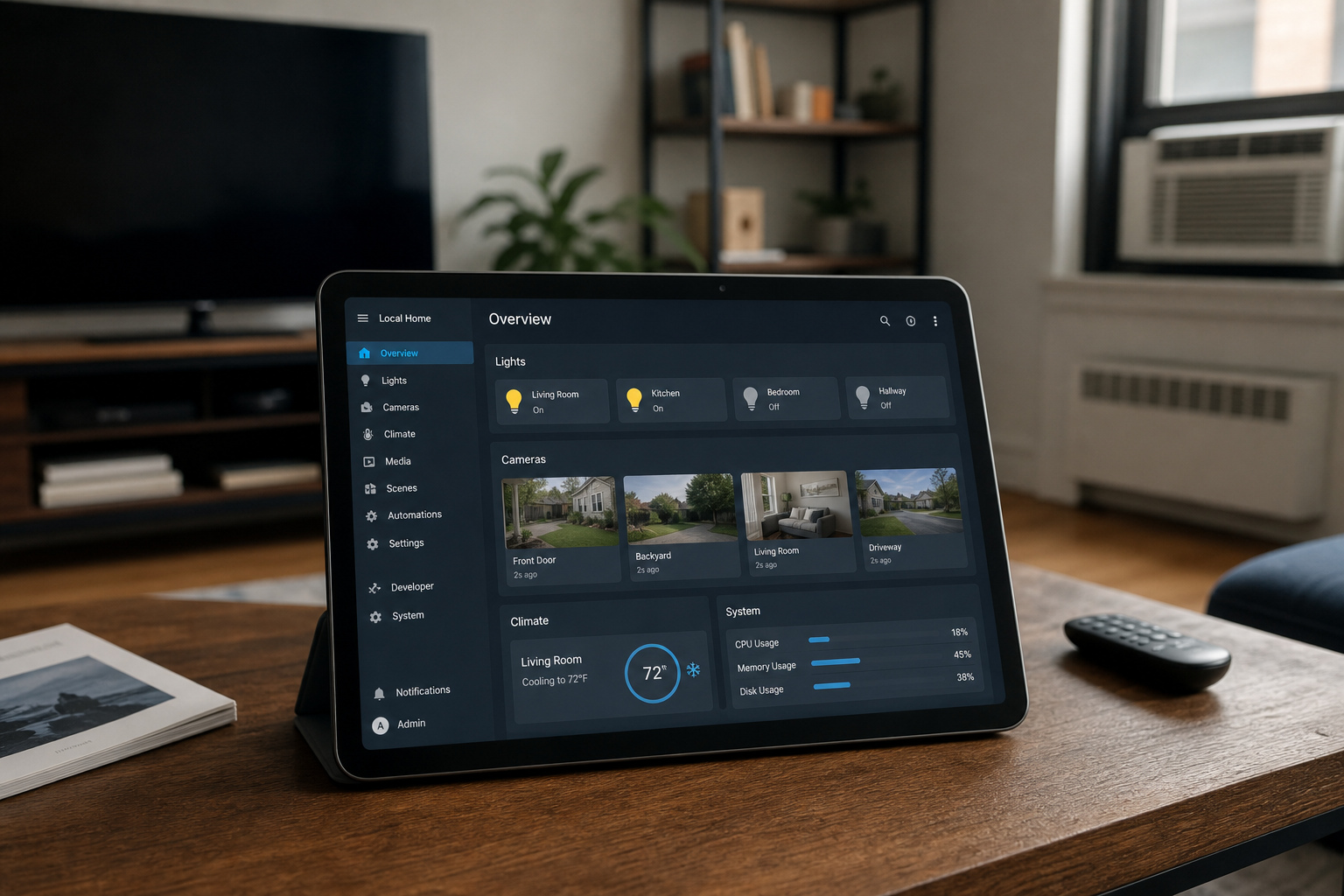
Start with a local hub (Home Assistant Green or Aqara Hub M2), add Thread or Wi-Fi devices that expose local control (Shelly, Eve, Reolink), and disable cloud accounts where possible. Voice assistants can still work on-LAN with Home Assistant. Expect more setup time than Alexa-only—but routines keep running when the internet drops.Pain Point Bridge
Cloud outages and privacy headlines make you wonder why your lamp needs a server in another state. Local control is possible—but Matter and "offline" labels lie by omission on some devices that still phone home for firmware.
This guide separates what can run on your LAN from marketing, with realistic setup effort for apartment dwellers who are not running a homelab.
Who This Is For
- Cloud-outage skeptics who want lamps working when servers hiccup
- Privacy-first renters—not homelab engineers
- Matter-curious buyers who read firmware fine print
Key Criteria
Local control vs local data
A device can store video locally but still phone home for app login. Verify automation works with router WAN disconnected before trusting "local" marketing.
Hub choice sets complexity
Home Assistant = maximum flexibility, steeper learning curve. Aqara + Apple Home = easier, narrower device list. Pick based on time, not ego.
Renter-safe hardware
Prefer plug-in relays, battery sensors, and cameras on shelves—same as our no-drill guide. Avoid cloud-dependent doorbells if offline unlock matters.
Backup when you're away
Local doesn't mean inaccessible remotely. Use VPN or Home Assistant Cloud (optional encrypted tunnel)—not port forwarding without security knowledge.

Step-by-Step Framework
Step 1 — Define what must work offline
List critical automations: bedtime lights, entry camera snapshot, heater plug off. If it's not on the list, cloud control may be fine for that device.
Success check: Three must-have automations written down.
Step 2 — Choose your local brain
Home Assistant Green ($99) is a plug-and-play hub running Home Assistant OS—ideal if you'll mix brands. Aqara Hub M2 ($30–$50) suits Apple HomeKit-local automations with adhesive sensors. Success check: Hub online on Ethernet or strong Wi-Fi; admin password set; backups scheduled. Gear:
Step 3 — Add local-controllable actuators
Shelly 1PM Gen3 relays fit lamp bases or inline plugs with local HTTP API. Eve Energy plugs use Thread and run automations in Apple Home without cloud. Pair with Matter devices where firmware supports LAN control. Success check: Toggle test lamp with internet unplugged from WAN (not LAN). Gear: Shelly 1PM Gen3 · Price checked: June 1, 2026Step 4 — Add local-first cameras
Reolink E1 Zoom streams and records to microSD without mandatory cloud. Place on shelf aimed at entry—no drilling. Disable P2P cloud relay in settings if pure LAN is required (remote viewing then needs VPN). Success check: Live view works on home Wi-Fi with cloud toggle off. Gear: Reolink E1 Zoom · Price checked: June 1, 2026
Step 5 — Migrate automations from vendor apps
Rebuild routines in Home Assistant or HomeKit: triggers (time, motion, door) → actions (light, plug, notification). Import devices via integrations; avoid duplicate automations in Kasa and HA simultaneously—they fight.
Success check: One bedtime script runs locally three nights with WAN disconnected during trigger window.Step 6 — Optional voice without cloud dependency
Home Assistant integrates with Alexa/Google for convenience, but cloud voice breaks when Amazon/Google fails. For local voice, experiment with Home Assistant Voice hardware or push-button Hue dimmers as low-tech override.
Success check: Household knows physical fallback (dimmer, switch) if voice is down.
Common Mistakes
- Assuming Matter = fully local — Matter improves interoperability; cloud accounts may still be required for setup.
- Port forwarding without hardening — Use VPN or Nabu Casa instead of exposing HA to the open internet.
- Mixing cloud-only plugs in critical paths — Wyze/Kasa cloud modes fail offline; label devices clearly.
- No documentation — Future you forgets which lamp hides a Shelly. Label with painter's tape inside base.

Recommended Product Stack (Renter Local Starter)
| Layer | Product | Role | Price |
|---|---|---|---|
| Hub | Home Assistant Green | Central automations | ~$99 |
| Plug (Apple path) | Eve Energy | Thread local plug | $30–$40 |
| Relay (HA path) | Shelly 1PM Gen3 | Lamp inline control | $15–$25 |
| Camera | Reolink E1 Zoom | Local SD recording | $40–$80 |
| Sensors | Aqara door/motion | Adhesive triggers | $15–$25 each |
Total starter: roughly $170–$270 before extras—compare to cloud kits in our automation kits guide.
How We Evaluated
- Matched each recommendation to scenario fit (room size, renter constraints, pet/kid realities)—not spec-sheet winners alone.
- Cross-checked public retailer listings and owner-review themes for recurring complaints (noise, odor, assembly, wash durability).
- Price-checked U.S. listings at time of update; we do not guarantee lowest available price.
- Human editors reviewed AI-assisted drafts; we did not conduct hands-on lab testing unless explicitly stated in the article.
What You'll Walk Away With
- Which “offline” devices still phone home for firmware
- LAN hub placement without VLAN surprises
- When reputable cloud plugs are simpler for lamps-only goals
FAQ
Is a local smart home worth the effort for renters?
Worth it if privacy, offline reliability, or avoiding subscriptions matter to you. If you want five-minute setup, stay cloud-first with Matter bridges for flexibility later.
Does Home Assistant require coding?
Basic automations use UI builders. Advanced scenes benefit from YAML curiosity—not mandatory day one.
Can I go local without Home Assistant?
Apple Home with Thread devices is the easiest partial path. Google/Alexa-first homes struggle to stay fully local without HA or Hubitat.
Will local devices still get firmware updates?
Most need occasional internet for patches. Updates aren't the same as cloud-dependent control—schedule updates manually if paranoid.
What about smart doorbells?
Most consumer doorbells are cloud-heavy. Local-minded renters often pair a Reolink shelf camera with a simple peephole or knock sensor instead.
Related Reading
- How to Set Up a Smart Home Without Drilling Holes
- Best Smart Plugs with Energy Monitoring in 2026
- Best Matter-Compatible Smart Home Devices in 2026
- Best Smart Doorbells for Renters (No Wiring Required)
- Best Smart Lighting for Sleep (Warm Scenes, No Electrician)
- Alexa vs Google Home: Which Is Better for Renters?
AI + Editor Transparency
We used AI tools to draft sections of this article and generate concept visuals where noted. Human editors verified local-control claims, security guidance, pricing, and internal links before publication. Recommendations reflect our editorial judgment, not manufacturer input.
For EU readers: This content was created with assistance from artificial intelligence and reviewed by human editors before publication.Affiliate Disclosure
HomeGlean is reader-supported. When you buy through links on our site, we may earn an affiliate commission at no extra cost to you. Learn more about how we test and recommend products.
Last updated: June 1, 2026 · Prices and availability may change.